Kiểm thử trong bioinformatics: vì sao chạy mã với dữ liệu đầu vào là chưa đủ
Trong Phần 2 của chuỗi CI/CD, chúng tôi đã trình bày cách thiết lập kiểm thử tự động với make test-e2e — chạy workflow với dữ liệu kiểm thử và kiểm tra xem nó có tạo ra kết quả hay không. Nếu script chạy mà không sập, ta dễ kết luận rằng mọi thứ đều ổn. Điều đáng bận tâm là một pipeline chạy thành công chưa chắc đã tạo ra kết quả đúng.
Bài viết này xem xét vì sao kiểm thử vượt xa việc "chạy mã và kiểm tra xem nó có sập không", và những loại kiểm thử giúp phát hiện các lỗi mà một bài kiểm thử đầu-cuối đơn giản sẽ bỏ sót.
Vấn đề: vì sao "chạy được" là chưa đủ
Hãy xét một pipeline kiểm soát chất lượng (giống pipeline ở Phần 2) thực hiện:
- Tải dữ liệu ✓
- Chạy FastQC ✓
- Chạy MultiQC ✓
- Kết thúc không lỗi ✓
Vậy có nghĩa mọi thứ đều đúng không? Không hẳn. Một vài tình huống thường gặp trên thực tế:
Tình huống 1: thay đổi tham số âm thầm
# Your original scriptfastqc --qual-threshold 30 sample.fastq.gz -o result/
# A colleague modifies it (accidentally)fastqc --qual-threshold 10 sample.fastq.gz -o result/
# The pipeline still runs successfully!# But now you're accepting lower quality reads without realizing itTình huống 2: dữ liệu hỏng
# Your QC output looks fine visually# But internally, MultiQC may have corrupted data:# - Missing sample names in reports# - Incorrect statistics calculations# - Incomplete HTML output
# A simple "did it run?" test won't catch thisTình huống 3: lỗi ở trường hợp biên
# Your pipeline works with 100 samples# But when you try with 1,000 samples:# - Memory usage explodes# - Temporary file naming conflicts# - Processes timeout unexpectedlyĐây không phải giả định — chúng là những lỗi xuất hiện trong các dự án bioinformatics thực tế. Bài học là kiểm thử cần vượt ra ngoài phạm vi "chạy được".
1. Các loại kiểm thử mà nhà bioinformatics cần
1.1. Bốn tầng kiểm thử
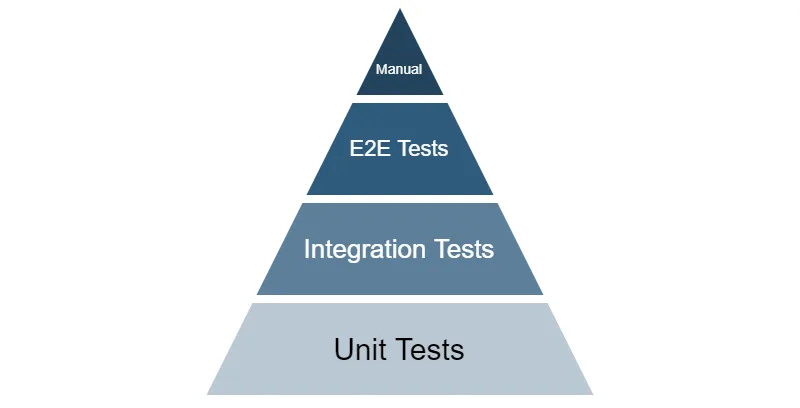
Thay vì một bài kiểm thử đầu-cuối nguyên khối, sẽ hữu ích nếu nghĩ về kiểm thử theo tầng:
┌────────────────────────────────────────────────┐│ Layer 4: End-to-End Tests ││ "Does the full pipeline work with real data?" │├────────────────────────────────────────────────┤│ Layer 3: Integration Tests ││ "Do components work together correctly?" │├────────────────────────────────────────────────┤│ Layer 2: Contract Tests (Output Validation) ││ "Are the results in the expected format?" │├────────────────────────────────────────────────┤│ Layer 1: Unit Tests (Individual Functions) ││ "Does this logic work correctly?" │└────────────────────────────────────────────────┘Hãy xem từng tầng với ví dụ cụ thể.
1.2. Tầng 1: unit test (từng hàm riêng lẻ)
Tầng này kiểm thử những đoạn mã nhỏ, cô lập — thường là các hàm Python phân tích hoặc xác thực dữ liệu.
Ví dụ: xác thực chỉ số QC
Một validator đọc chỉ số kiểm soát chất lượng từ tệp JSON có thể chấp nhận dữ liệu xấu mà không báo lỗi:
def parse_fastqc_json(json_file): """Parse FastQC JSON output.""" with open(json_file) as f: data = json.load(f)
# BUG: What if 'summary' key is missing? Crashes silently q30_rate = data['summary']['q30_rate']
# BUG: What if q30_rate is 0? No error checking return q30_rateUnit test bắt những lỗi này từ sớm:
def test_parse_fastqc_missing_summary(): """Should handle missing summary section.""" invalid_json = '{"other": "data"}'
with pytest.raises(KeyError): parse_fastqc_json(invalid_json)
def test_parse_fastqc_zero_rate(): """Should handle zero quality rate.""" result = parse_fastqc_json('{"summary": {"q30_rate": 0}}') assert result == 0 # Not False or None—explicitly 01.3. Tầng 2: contract test (xác thực output)
Tầng này xác minh rằng công cụ tạo ra output đúng định dạng. Một pipeline có thể chạy không lỗi nhưng vẫn tạo output bị hỏng.
Ví dụ: xác thực cấu trúc tệp BAM
# Layer 2 test: Is the BAM file valid?test_validate_bam_output() { # Run samtools sort samtools sort -o sorted.bam input.bam
# Check: Does the output file exist? test -f sorted.bam || exit 1
# Check: Is it actually a valid BAM file? samtools view -H sorted.bam > /dev/null || exit 1
# Check: Does it have the expected number of reads? read_count=$(samtools view -c sorted.bam) test $read_count -gt 0 || exit 1}Điều này quan trọng vì MultiQC có thể chạy thành công trên một BAM hỏng, còn phân tích hạ nguồn thì thất bại âm thầm.
1.4. Tầng 3: integration test
Tầng này xác minh rằng nhiều thành phần phối hợp đúng với nhau — ví dụ kiểm thử cả một subworkflow (QC → cắt tỉa → alignment).
# Layer 3 test: Do all steps work together?test_full_qc_trimming_workflow() { # Download test data make data
# Run: FastQC → Trimming → FastQC again bash workflow.sh data/sample_1.fastq.gz data/sample_2.fastq.gz result/
# Validate: All expected outputs exist test -f result/trimming_report.html test -f result/trimmed_1.fastq.gz test -f result/trimmed_2.fastq.gz
# Validate: Output files are non-empty test -s result/trimmed_1.fastq.gz test -s result/trimmed_2.fastq.gz}1.5. Tầng 4: end-to-end test
Bài kiểm thử make test-e2e ở Phần 2 là một bài kiểm thử Tầng 4. Nó hữu ích, nhưng tự nó là chưa đủ.
2. Ví dụ lỗi thực tế
Dưới đây là những lỗi mà kiểm thử Tầng 4 (đầu-cuối) sẽ bỏ sót nhưng các tầng khác sẽ bắt được.
Lỗi 1: tham số sai âm thầm
# Original scriptfastqc --qual-threshold 30 input.fastq.gz
# Developer accidentally changes itfastqc --qual-threshold 5 input.fastq.gzKiểm thử Tầng 4 (đầu-cuối):
- ✅ Pass — FastQC chạy không sập
- ❌ Không bắt được ngưỡng bị hạ thấp
Kiểm thử Tầng 2 (contract):
- ✅ Sẽ bắt được nếu ta xác thực ngưỡng chất lượng trong output
# Contract test for quality thresholdsq_threshold=$(grep "Passed filters:" result.html | grep -oP '\d+')test $q_threshold -ge 20 || (echo "Quality threshold too low"; exit 1)Lỗi 2: dữ liệu hỏng ở tệp trung gian
# Trimming tool runs successfully, but outputs wrong number of reads
original_reads=$(samtools view -c input.bam)trimmed_reads=$(samtools view -c trimmed.bam)
# Bug: trimmed_reads should be LESS than original_reads# If trimmed_reads > original_reads, something is wrong!Kiểm thử Tầng 4 (đầu-cuối):
- ✅ Pass — pipeline kết thúc không lỗi
- ❌ Không xác thực số lượng read
Kiểm thử Tầng 3 (integration):
- ✅ Sẽ bắt được:
# Integration test: Validate trimming removes readstest $original_reads -gt $trimmed_reads || \ (echo "ERROR: Trimming removed no reads"; exit 1)Lỗi 3: thiếu dữ liệu đầu vào
# Your script doesn't check if input existsfastqc $input_file # What if $input_file doesn't exist?Kiểm thử Tầng 4 (đầu-cuối):
- ✅ Pass (dữ liệu kiểm thử tồn tại)
- ❌ Không kiểm thử điều gì xảy ra khi thiếu input
Kiểm thử Tầng 1 (unit):
- ✅ Bắt được:
def test_fastqc_missing_input(): """Should fail gracefully with missing input.""" with pytest.raises(FileNotFoundError): run_fastqc("nonexistent.fastq.gz")3. Thực hành: thêm kiểm thử theo tầng vào Makefile
Như đã trình bày ở Phần 2, Makefile ban đầu có:
test-e2e: data/GSE110004 ${HOME}/.pixi/bin/pixi run bash main.sh ...Có thể thêm các tầng xác thực bên cạnh:
# Layer 1: Unit tests (validate Python parsing functions)test-unit: pytest tests/unit/ -v
# Layer 2: Contract tests (validate output formats)test-contract: data/GSE110004 bash tests/contract/validate_fastqc_output.sh result/
# Layer 3: Integration tests (validate multi-step workflows)test-integration: data/GSE110004 bash tests/integration/test_qc_pipeline.sh
# Layer 4: End-to-end test (run full pipeline)test-e2e: data/GSE110004 ${HOME}/.pixi/bin/pixi run bash main.sh data/GSE110004/*_1.fastq.gz data/GSE110004/*_2.fastq.gz result
# Run all teststest-all: test-unit test-contract test-integration test-e2e @echo "All tests passed!"Ví dụ: contract test Tầng 2
#!/bin/bash
RESULT_DIR=$1
echo "Validating FastQC outputs..."
# Check 1: HTML reports existtest -f "$RESULT_DIR"/*.html || { echo "ERROR: No FastQC HTML reports found" exit 1}
# Check 2: Check required sections exist in HTMLfor html_file in "$RESULT_DIR"/*.html; do # FastQC must have these sections grep -q "Per base sequence quality" "$html_file" || { echo "ERROR: Missing quality metrics in $html_file" exit 1 } grep -q "Per base sequence content" "$html_file" || { echo "ERROR: Missing content metrics in $html_file" exit 1 }done
# Check 3: MultiQC report exists and has contenttest -s "$RESULT_DIR/multiqc_report.html" || { echo "ERROR: MultiQC report is empty or missing" exit 1}
# Check 4: MultiQC HTML contains sample namesgrep -q "General Statistics" "$RESULT_DIR/multiqc_report.html" || { echo "ERROR: MultiQC missing summary statistics" exit 1}
echo "✓ All contract tests passed!"Ví dụ: integration test Tầng 3
#!/bin/bash
echo "Testing QC → Trimming → QC pipeline..."
# Step 1: Run first FastQCfastqc input.fastq.gz -o tmp_qc1/count1=$(samtools view -c tmp_qc1/input_fastqc.zip)
# Step 2: Run trimmingtrimmomatic SE input.fastq.gz trimmed.fastq.gz LEADING:3 TRAILING:3
# Step 3: Run second FastQCfastqc trimmed.fastq.gz -o tmp_qc2/count2=$(samtools view -c tmp_qc2/trimmed_fastqc.zip)
# Integration check: Second QC should show improvement# (This is a behavior test: does trimming actually improve quality?)if [ "$count2" -lt "$count1" ]; then echo "✓ Integration test passed: Quality improved after trimming"else echo "ERROR: Trimming did not improve quality metrics" exit 1fi
rm -rf tmp_qc1 tmp_qc24. Còn pipeline Nextflow thì sao?
Với pipeline Nextflow, kiểm thử tương tự nhưng dùng khung nf-test:
# Layer 2: Contract test for a Nextflow processtest("samtools sort produces valid BAM") { when { input[0] = [ [id: 'test'], file('test.bam') ] }
then { assert process.success
// Layer 2: Validate BAM structure def bam_file = process.out.bam[0][1] assert shell("samtools view -H ${bam_file}").exitStatus == 0 }}5. Tóm tắt: kim tự tháp kiểm thử
▲ ╱ ╲ ╱ ╲ Layer 4: End-to-End (5%) ╱ E2E ╲ "Did the pipeline finish?" ╱───────╲ ╱ ╲ ╱Integration╲ Layer 3 (15%) ╱ (Contract) ╲ "Do outputs have correct format?" ╱───────────────╲ ╱ ╲ ╱ Unit Tests ╲ Layer 2 + 1 (80%) ╱ (Validation) ╲ "Does this logic work? Handle errors?" ╱───────────────────────╲
Each layer catches different types of bugs that the layer above might miss.Điểm mấu chốt: một pipeline "chạy thành công" (Tầng 4 ✓) vẫn có thể có:
- dữ liệu hỏng âm thầm (Tầng 2 bắt được)
- lỗi tham số (Tầng 1 và 2 bắt được)
- bước trung gian bị hỏng (Tầng 3 bắt được)
6. Bắt đầu
Khởi đầu đơn giản:
-
Thêm Tầng 1 (unit test):
Terminal window pytest tests/unit/ --cov # If you have Python code -
Thêm Tầng 2 (contract test):
Terminal window bash tests/contract/*.sh # Validate outputs -
Giữ Tầng 4 (đầu-cuối):
Terminal window make test-e2e # From Part 2 -
Chạy tất cả trước khi push:
Terminal window make test-all
Tài liệu tham khảo
- Quản lý phiên bản với Git cho bioinformatics (Phần 2) — bài trước về kiểm thử tự động
- Tài liệu pytest — khung kiểm thử Python
- Tài liệu nf-test — khung kiểm thử Nextflow
- GitHub Actions: About continuous integration — thực hành CI/CD
- Google Testing Blog — góc nhìn về kiểm thử phần mềm
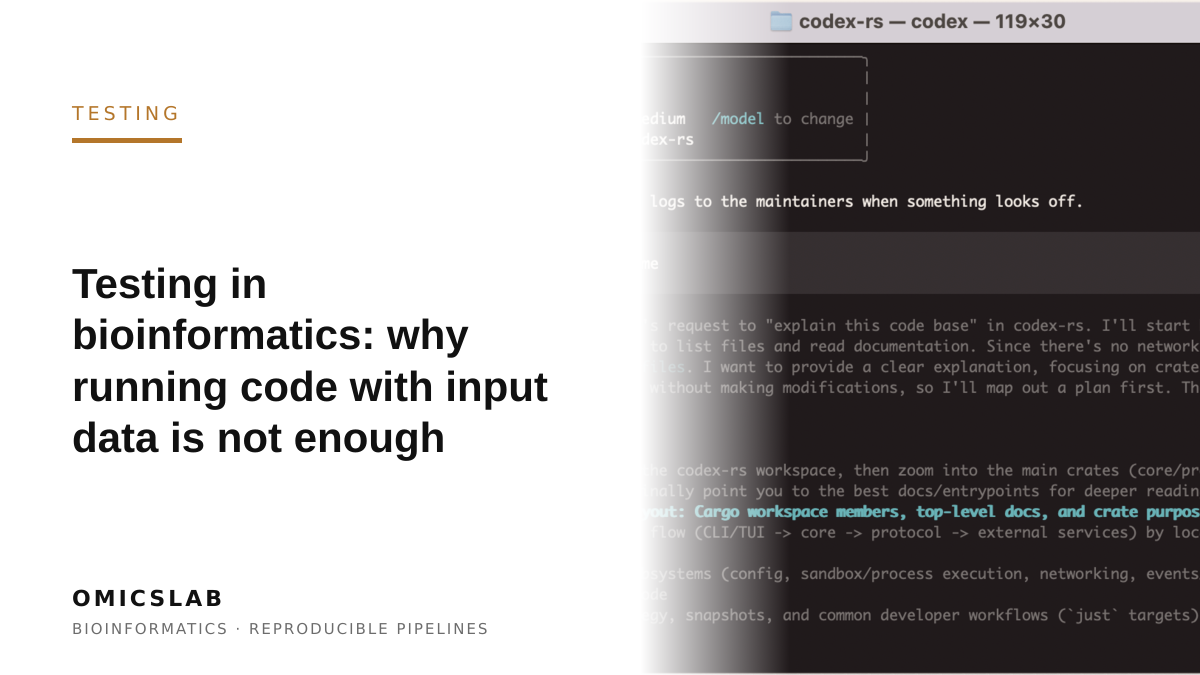
- Ảnh bìa: Codex CLI screenshot — OpenAI / Codex CLI GitHub repository, Wikimedia Commons, Apache License 2.0
Bài viết liên quan
Xem tất cả bài viết →
18 tháng 11, 2026
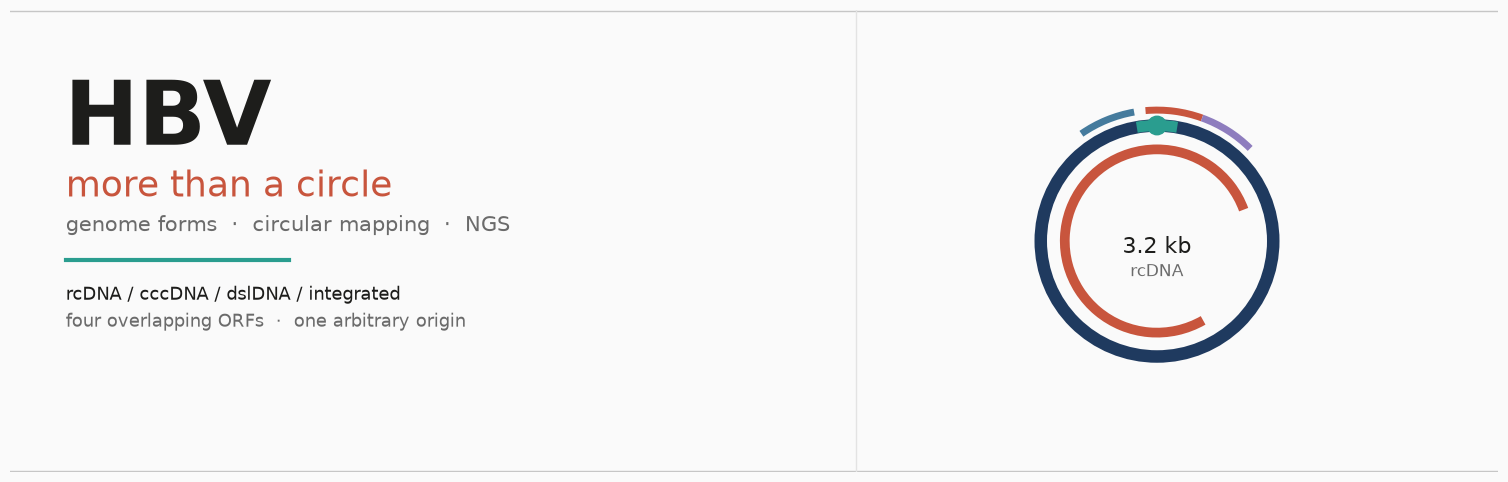
Hướng dẫn phân tích hệ gen HBV bằng giải trình tự NGS